

Modern secure Wi-Fi routers prioritize data protection through WPA3 encryption and advanced threat detection. Premium models like the TP-Link Archer BE550 and Netgear Orbi RBKE963 offer military-grade security features, while budget-conscious options still provide essential safeguards. The Asus GT6 utilizes AI-powered threat detection, and the Eero 6 Plus delivers automatic updates with user-friendly controls. For families, built-in parental controls and real-time malware scanning create multiple layers of defence. Exploring today’s router options reveals increasingly sophisticated protection.
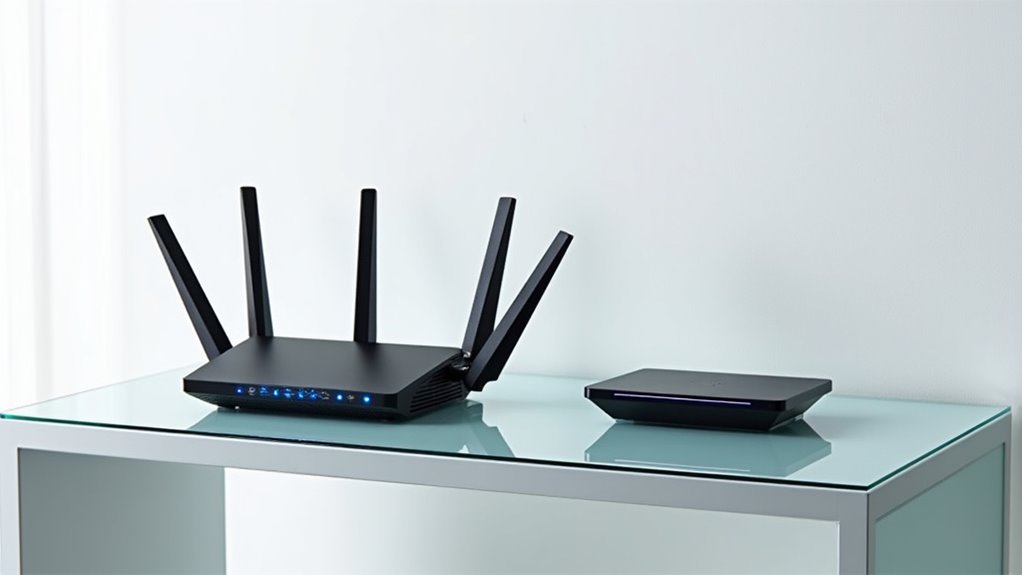
As homes become increasingly connected with smart devices and streaming services, choosing the right Wi-Fi router has evolved from a simple networking decision into a vital foundation for modern living. The latest generation of secure routers combines cutting-edge encryption standards with sophisticated threat detection, creating a digital fortress around your home network. This is crucial for ensuring data privacy in cyber security, as routers serve as the first line of defense against cyber threats. Additionally, the dark web is a breeding ground for cybercrime, making robust router security even more essential. Understanding the pen test process can also provide insights into how to strengthen your network’s defense. In this context, embracing data-centric cybersecurity is becoming increasingly important to ensure that the data itself remains secure, regardless of network vulnerabilities.
The current landscape of secure routers is dominated by models supporting WPA3 encryption, the gold standard for wireless security. Leading manufacturers like TP-Link, Asus, and Netgear have integrated this protocol into their premium offerings, alongside robust firewall capabilities that actively monitor and block suspicious network traffic. The TP-Link Archer BE550, with its Wi-Fi 7 capabilities, stands out for implementing military-grade encryption while maintaining exceptional performance.
WPA3 encryption sets the bar for router security, with major brands delivering military-grade protection without sacrificing network performance.
Mesh networking systems have revolutionized home network security by eliminating vulnerable dead zones where hackers might exploit weak signals. The Eero 6 Plus exemplifies this approach, combining extensive coverage with regular automatic firmware updates that patch security vulnerabilities before they can be exploited. Its user-friendly interface makes complex security features accessible to non-technical users, while still providing advanced options for those who want granular control.

For families concerned about online safety, modern routers offer sophisticated parental controls and threat scanning capabilities. The Asus GT6 excels in this area, featuring AI-powered threat detection that can identify and neutralize malware attempts in real-time. Its advanced Quality of Service (QoS) settings guarantee that security measures don’t compromise performance for gaming or streaming.
The Netgear Orbi RBKE963 represents the premium end of secure networking, incorporating tri-band technology that dedicates one band solely to secure communication between mesh nodes. This architecture prevents security features from impacting network speed, while its 2.5Gbps Ethernet ports support high-bandwidth devices without creating potential security bottlenecks.
Budget-conscious consumers needn’t compromise on security entirely. While entry-level routers may lack advanced features like Wi-Fi 7 support or dedicated security processors, many still offer essential protections through WPA3 encryption and basic firewall capabilities. The key is selecting a manufacturer known for consistent firmware updates and security patches that ensure your router remains protected against emerging threats.
Looking ahead, the integration of artificial intelligence in router security promises even more robust protection. Future developments will likely include enhanced threat detection powered by machine learning, along with improved 6GHz band support that offers both faster speeds and inherently better security due to its shorter range and reduced signal penetration.

As cyber threats continue to evolve, choosing a router with strong security features and a proven track record of updates remains vital for protecting your digital life.
Frequently Asked Questions
How Often Should I Update My Wi-Fi Router’s Firmware?
Router firmware should be updated at least every 3-5 years, though more frequent checks are recommended.
Users with multiple connected devices should aim for updates every three years.
Monthly checks for available updates help maintain peak security and performance.

Modern routers often feature automatic updates, but manual checking remains important.
Following manufacturer guidelines and staying informed about security vulnerabilities guarantees the router operates safely and efficiently.
Can I Use Multiple Wi-Fi Routers to Extend My Home Network?
Yes, multiple Wi-Fi routers can effectively extend a home network.
Users can connect routers either through Ethernet cables (the most stable method) or by setting up additional routers as wireless repeaters.

While Ethernet connections maintain ideal speeds, wireless repeater mode may reduce throughput.
Strategic placement is essential – secondary routers should be positioned in areas with decent reception from the main router.
The setup requires some technical know-how but can greatly improve coverage throughout larger homes.
What’s the Average Lifespan of a Secure Wi-Fi Router?
A typical secure Wi-Fi router lasts 3-5 years before security and performance concerns warrant replacement. Heavy usage from gaming or streaming can shorten lifespan, while proper maintenance may extend it.
Most manufacturers stop providing critical security updates after 3 years, making routers increasingly vulnerable. Signs it’s time to upgrade include frequent disconnections, slower speeds, and overheating issues.

For ideal security, experts recommend replacing routers every 3-4 years.
Should I Hide My Wi-Fi Network’s SSID for Better Security?
Hiding a Wi-Fi network’s SSID isn’t recommended as an effective security measure. While it may seem logical, it provides minimal protection and creates unnecessary complications.
The SSID remains visible in data packets during device connections, making it easily detectable with basic monitoring tools.
Instead, focus on implementing strong WPA3/WPA2 encryption, complex passwords, and regular firmware updates.

These measures provide genuine security benefits without compromising network usability.
Does the Router’s Placement Affect Its Security Features?
Router placement greatly impacts security effectiveness.
Ideal positioning – centrally located, away from windows and exterior walls – helps contain the Wi-Fi signal within intended areas, reducing unauthorized access risks.
Poor placement can create weak spots that force devices to seek less secure connections or miss critical security updates.
Additionally, keeping routers in secure, less accessible locations prevents physical tampering while maintaining strong signal coverage throughout the home.





